
How to Add Virtual Try-On
to WooCommerce

Adding a virtual try-on experience to your WooCommerce store is one of the fastest ways to increase conversion and reduce product returns in fashion ecommerce.
Instead of guessing how a product will look, customers can upload a photo and instantly preview the item on themselves — directly on the product page.
In this guide, you’ll learn how to add virtual try-on to WooCommerce in just a few minutes using a simple plugin, without complex setup or expensive AR technology.
Highlights:
Increase Conversion
Real Visual Confidence
Reduce Returns from “Wrong Expectations”
Fast, Frictionless Experience
Built for WooCommerce (Plug & Play)
Works with Real Product Images
Cost-Efficient AI at Scale
Track Real Impact
Optimized for Fashion Ecommerce
Supports JPG, JPEG, PNG, WEBP & more.
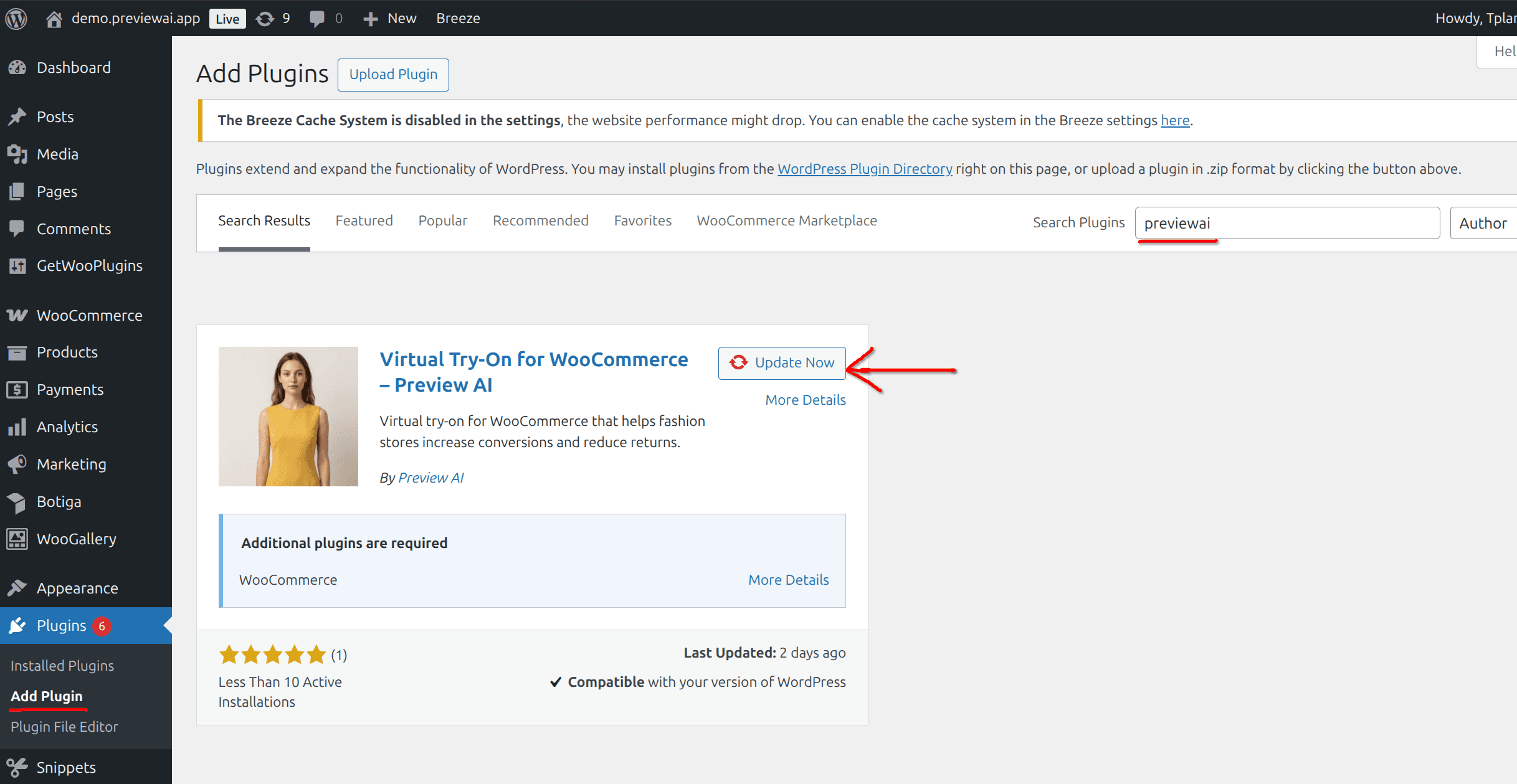
Step 1 — Install the Preview AI Plugin
Go to your WordPress dashboard
Navigate to Plugins → Add New
Search previewai
Click Install Now
Click Activate
Step 2 — Connect Your Account & Enable Products
Open the Preview AI modal on your product page
Enter your email address
Click Continue and get 20 free previews
Preview AI will automatically:
Connect your account
Enable virtual try-on for your products
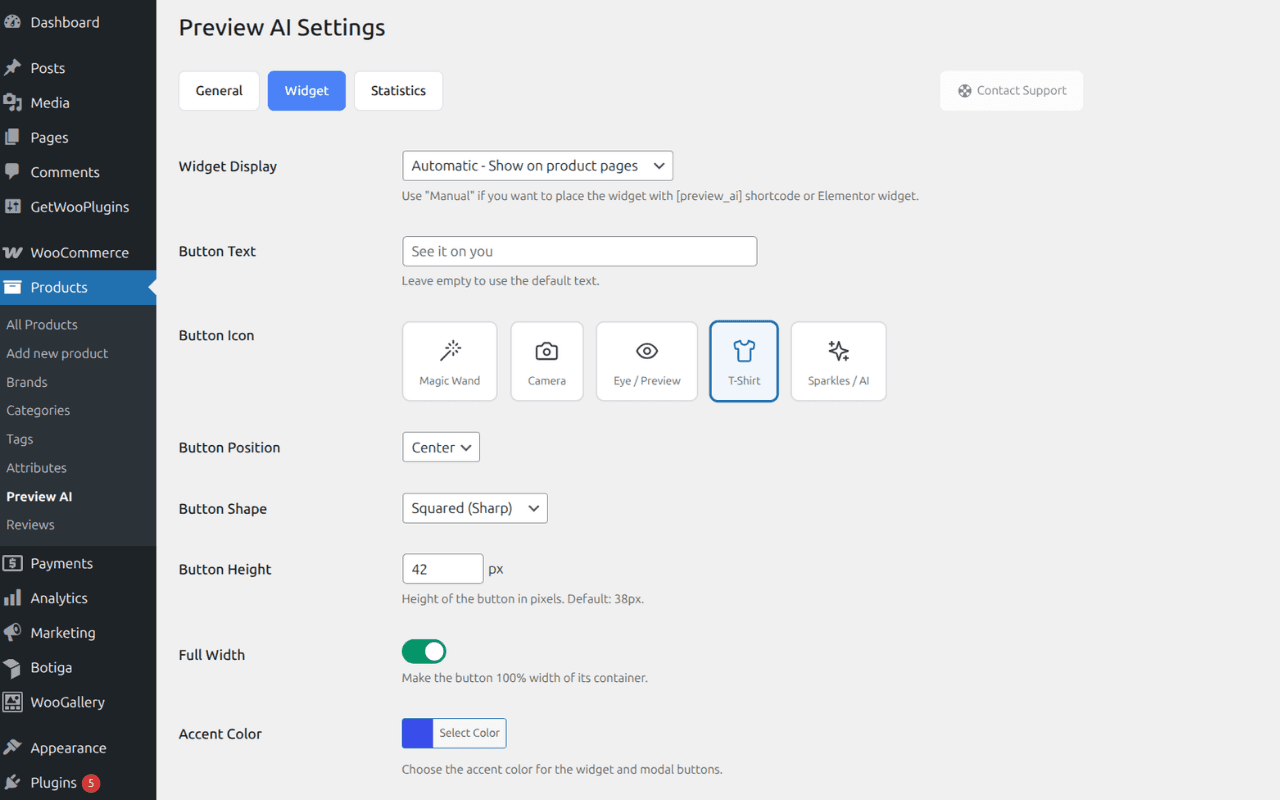
Step 3 — Customize the Widget
Go to Products → Preview AI → Widget
Customize your widget:
Button text (e.g. “Try it on”)
Colors (match your brand)
Position on product page
Save your changes
🚀 Start increasing conversions today
Stores using virtual try-on see higher engagement and fewer returns — even with low adoption rates.
👉 Try it yourself:
https://www.previewai.app/try-demo